Fault Management
— regular maintenance of your network
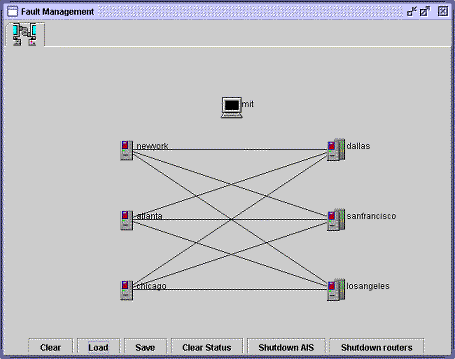
The Fault Management interface provides a simple means of checking router status and of starting and stopping routers and the AIS server.
Use the Fault Management interface for quickly scanning your network's performance, and for interceding when necessary.
Routers which are not operating properly are highlighted in red.
The Fault Management interface replicates many of the features of the Configuration interface's Network Topology tab, while focusing attention on router status and behavior.
- Clear —
- remove the topology from the workspace
- Load —
- open the existing topology
- Save —
- save any changes made during the session
- Clear Status —
- clears the screen view of the topology
- Shutdown AIS —
- terminate the AIS process
- Shutdown routers —
- terminate all router processes
You can also check the runtime status of any individual router by clicking on it.
|